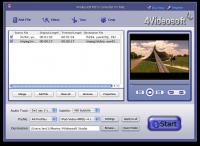
4Videosoft MTS Converter for Mac can convert your camcorder MTS file to your players compatible videos, like AVI, MP4, WMV, 3GP, 3GPP, MKV, FLV, SWF, VOB, DV, even HD videos, etc. Additionally, it can convert M2TS, TS and others.
4Videosoft MTS Converter for Mac can convert your camcorder MTS file to your players compatible videos, like AVI, MP4, WMV, 3GP, 3GPP, MKV, FLV, SWF, VOB, DV, even HD videos, etc. Additionally, 4Videosoft MTS Converter for Mac owns the solution to convert M2TS, TS and others. Then put the converted file on iPod, iPhone, PSP, Xbox, PSP, PS3, etc.
This Mac MTS Converter is also Mac users' ideal tool to convert MTS video and other video or audio to MP2, MP3, WMA, OGG, AAC, M4A, WAV, AC3, etc. The Effect function in 4Videosoft MTS Converter for Mac assists you to adjust the output video quality, like contrast, saturation and brightness, deinterlacing, trim, crop, merge and watermark your video, set video settings, and more.
Key functions:
1. Convert MTS video to your need video in great image and sound quality
Professional way to convert MTS video to AVI, MP4, WMV, 3GP, 3GPP, MKV, FLV, SWF, VOB, DV, even HD videos, etc. Also the solution to convert other HD video and general videos to your need video with 4Videosoft MTS Converter for Mac.
2. Audio extractor and audio converter
In 4Videosoft MTS Converter for Mac, you can get MP2, MP3, WMA, OGG, AAC, M4A, WAV, AC3 audio from MTS and other videos, or audios for your music enjoyment.
3. Convert MTS to your diverse players in appropriate formats and parameters
You can watch your MTS file on your iPod, iPhone, PSP, PS3, Wii, Zune, Zune 2, Xbox, Xbox 360, Google Phone, Sony Walkman, Archos, Creative Zen, iRiver, BlackBerry, BlackBerry Storm, BlackBerry Bold, Palm Pre, Motorala, LG, Sony Ericsson, Mobile Phone, etc.
4. Get different output formats with only one conversion
4Videosoft MTS Converter for Mac enables you to output one file to different formats simultaneously.
5. Use artistic video effect to adjust video
Effect feature in 4Videosoft MTS Converter for Mac helps you to adjust video brightness, saturation and contrast, also it can remove the mosaic by checking deinterlacing.
Whats new in version 4.0.06:
1.Watermark your video. 2.Convert one file to different formats simultaneously. 3.Choose audio track and subtitle.
Requirements:
512MB RAM, Super VGA (800×600) resolution, 16-bit graphics card or higher
Operating system:
Mac OS X,Mac Other,Other
Release notes:
Major Update

 4Videosoft MTS Converter for Mac 4.0.06 details